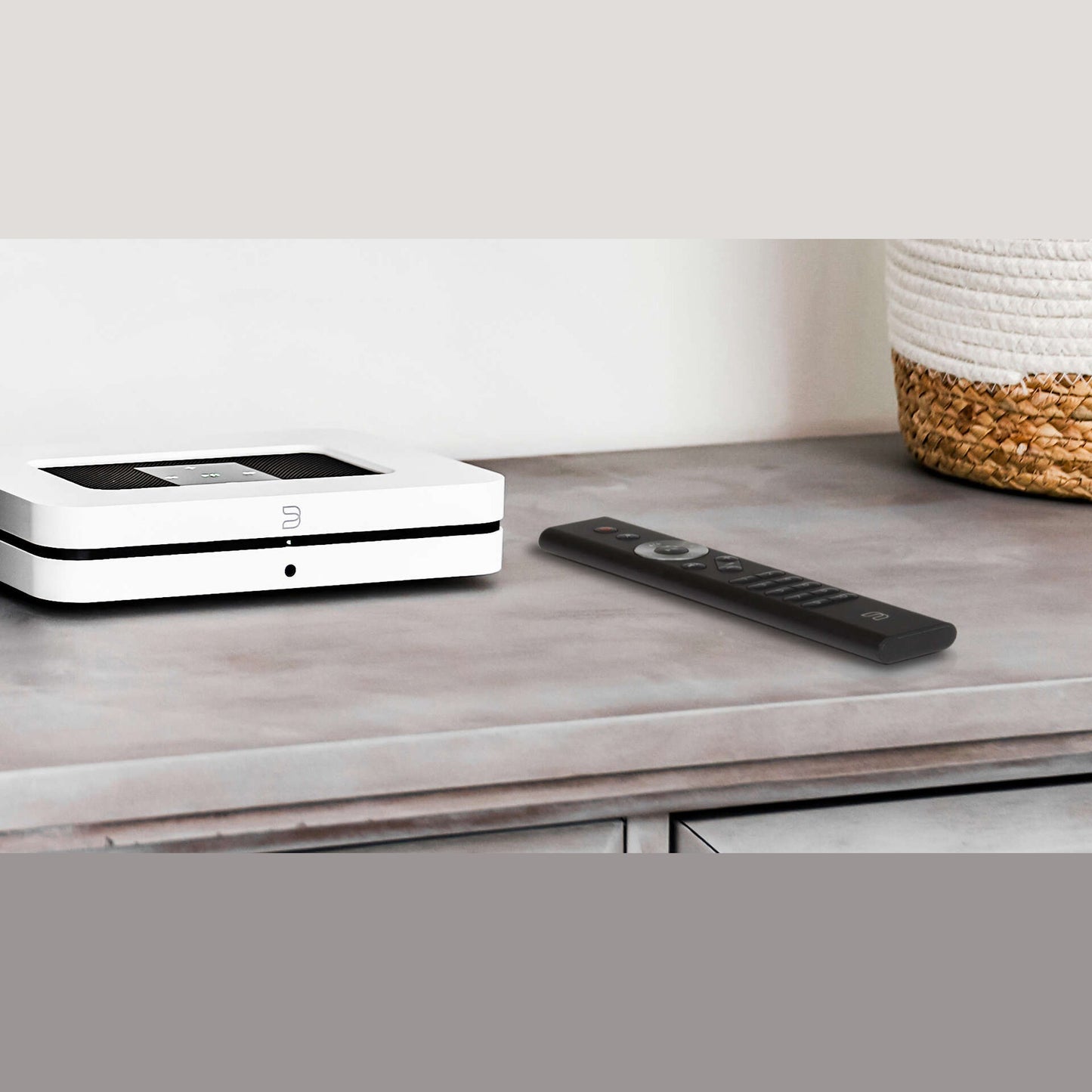
Bluesound RC1 Remote Control, Black
Bluesound RC1 Remote Control, Black
Couldn't load pickup availability
The Bluesound RC1 is an infrared remote control that operates Generation 2 and 2i BluOS players without a smartphone.
Volume, mute, playback, track skip and ten freely assignable presets sit right under your thumb. No unlocking, no waiting for the app, no hunting for the tablet someone else has claimed.
Why the RC1?
Because the BluOS app can do everything, but is rarely the fastest way to the next playlist. The RC1 comes pre-programmed at the factory with Bluesound's IR codes and works as soon as the coin cells are in – no setup, no pairing. Hand on heart: nobody needs a lock screen for a simple volume increase.
What you get
Ten preset buttons that you assign in the BluOS app to radio stations, playlists or inputs – one press, and your favorite station plays. Two buttons on the navigation wheel can additionally be freely assigned. Across eight IR channels (0 to 7) you tell each player which signal to listen to, so nothing in the next room jumps along when you turn up the volume in the living room. It controls internet radio and files from your network just as it controls a streaming service – a paid subscription is not a requirement for operation.
Who is the RC1 for?
For anyone with a Generation 2 or 2i Bluesound player – Node, Powernode, Pulse, Pulse Soundbar or Vault – running BluOS 3.6.2 or later. BluOS-capable NAD devices without an MDC module obey it too. Straight talk: if you're still running a first-generation player (Node N100, Powernode N150, Pulse P300, Vault V500), you're out of luck – it simply lacks the infrared receiver. And if you hide your Node behind a closed cabinet door, know this: infrared needs a clear line of sight. The RC1 can't do radio.
Our verdict
A small accessory with a surprisingly big everyday effect. The RC1 doesn't replace the app, it takes the load off it – and you notice that from the very first evening. If you use your BluOS system daily and don't want to reach for your phone every time, this gets a lot right for not much money. You just need to settle the generation question first.
Technical data
- Type: infrared remote control (IR), factory-programmed with Bluesound's IR codes
- Compatibility: Bluesound players of Generations 2 and 2i with BluOS 3.6.2 or later (Node, Powernode, Pulse, Pulse Soundbar, Vault)
- Also supported: BluOS-capable NAD devices without an MDC module
- Not compatible: first-generation players (Node N100, Powernode N150, Pulse P300, Vault V500)
- Controls: volume, mute, play/pause, track skip, navigation wheel
- Presets: 10 preset buttons, freely assignable in the BluOS app
- IR channels: 8 channels (0 to 7), selectable per player in the BluOS app
- Power supply: CR2032 (3 V) coin cells, included
- Range: not specified by Bluesound; infrared requires line of sight to the player
- Color: Black
- Dimensions (W × H × D): not specified by Bluesound
- Weight: not specified by Bluesound
- Included: RC1 remote control, coin cells
Frequently asked questions
Which Bluesound devices does the RC1 control?
All Generation 2 and 2i Bluesound players with BluOS 3.6.2 or later – so Node, Powernode, Pulse, Pulse Soundbar and Vault of these series. BluOS-capable NAD devices without an MDC module also respond to the RC1. First-generation players don't have an infrared receiver and can't be controlled.
What batteries does the RC1 need?
CR2032 coin cells at 3 volts – they're included with the remote. To change them, open the back with a coin or a fingernail. Replacements are available at any supermarket. Sluggish response is usually the first sign the cells are running low.
Do I need to set up the RC1?
No. The RC1 comes pre-programmed at the factory with Bluesound's IR codes and works as soon as the coin cells are inserted. Optionally, you assign the ten preset buttons in the BluOS app to radio stations, playlists or inputs – and give each player one of the eight IR channels so nothing in the next room jumps along.
Does the RC1 work through a cabinet door?
No. The RC1 works with infrared and needs a clear line of sight to the player – a closed door or a cabinet shelf blocks the signal. If your Node sits inside a sideboard, the BluOS app remains the better choice, or plan its placement with a sight line to the sofa from the start.
Why buy the Bluesound RC1 from HD Zürisee?
Because we tell you in advance whether your player generation even plays along – saving you a return. At HD Zürisee in Wädenswil, our experienced team, including our own technician, helps with assigning presets, IR channels and the rest of your BluOS system. Call or write to us.
Goes well with
You'll find the matching devices under Streamers & Network Players and Streaming Amplifiers. Everything about Bluesound and more Accessories are also available from us.
Share