WiiM Voice Remote 2 Sprachfernbedienung
WiiM Voice Remote 2 Sprachfernbedienung
Verfügbarkeit für Abholungen konnte nicht geladen werden
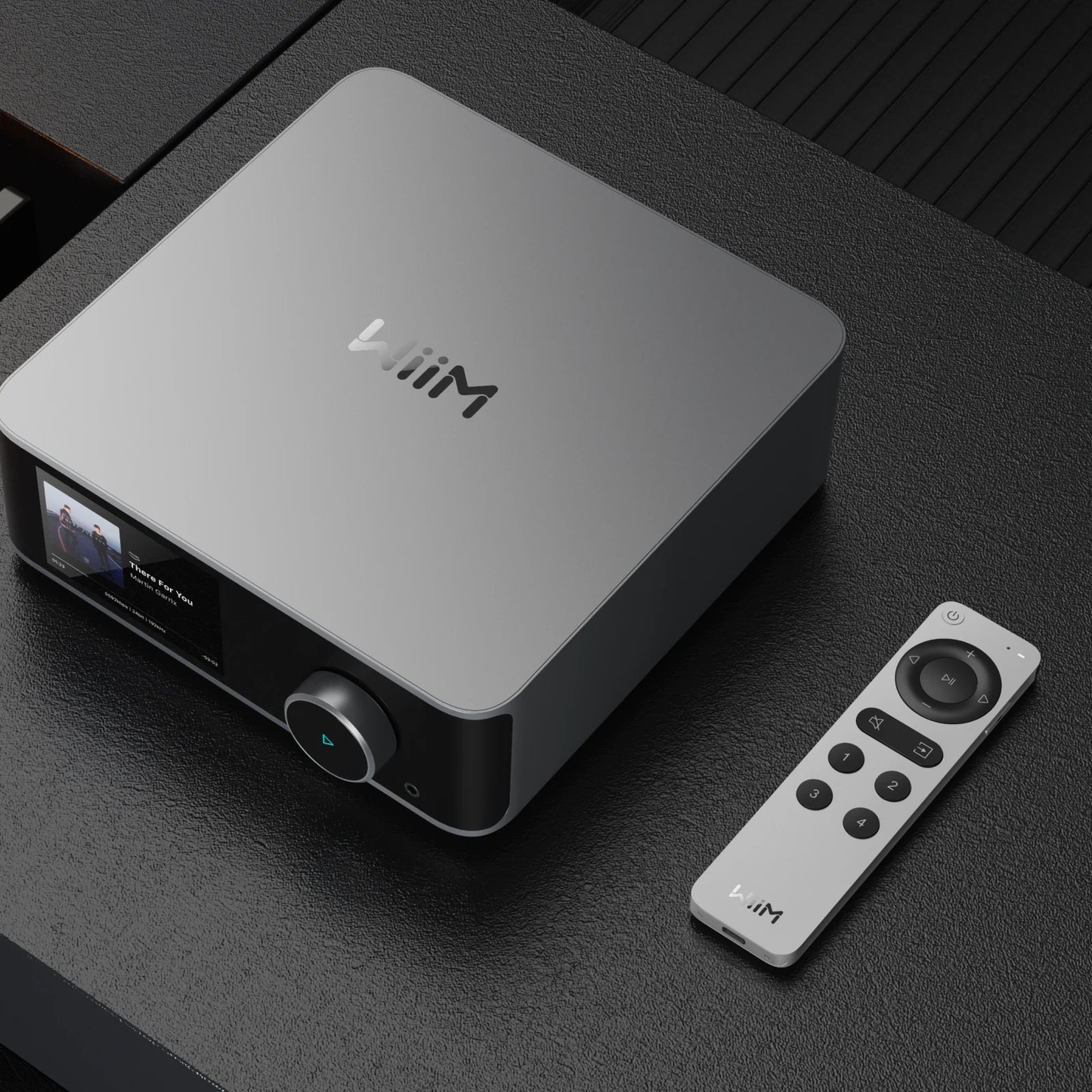
Die WiiM Voice Remote 2 ist die zweite Generation der WiiM-Fernbedienung: Aluminium-Unibody statt Kunststoff, fest verbauter Akku statt Batteriefach, geladen über USB-C. Sie fühlt sich an wie Zubehör aus einer höheren Preisklasse – und genau das ist der Punkt.
Warum die WiiM Voice Remote 2?
Weil sie zwei Ärgernisse der ersten Generation abstellt. Erstens das Material: Der gebürstete Aluminiumkörper liegt spürbar wertiger in der Hand und passt optisch zu einem WiiM Ultra oder Amp Ultra. Zweitens die Stromversorgung: Statt AAA-Batterien steckt ein Akku drin, der in etwa einer Stunde geladen ist und danach wochenlang durchhält.
Auch hier funkt Bluetooth Low Energy rundum – kein Zielen, keine Sichtverbindung. Der Streamer darf im Schrank verschwinden.
Was du bekommst
Vier Smart-Preset-Tasten für Sender, Playlists oder Alben, eine Push-to-Talk-Taste für Sprachbefehle, Quellenwahl, Stummschaltung und die üblichen Transporttasten. Eine RGB-Leuchte zeigt den Status, und unter 20 Prozent Akku meldet sich die Fernbedienung von selbst – statt einfach still den Dienst einzustellen.
Für wen ist die WiiM Voice Remote 2 geeignet?
Für alle, die täglich zur Fernbedienung greifen und keine Lust auf Batteriewechsel haben. Und für alle, die einen WiiM Sound Lite oder Mini betreiben, bei denen keine Fernbedienung dabei ist.
Ehrlich: Wer seine Anlage ohnehin nur über das Handy oder Spotify Connect steuert, braucht sie nicht – dann ist das Geld in einem besseren Kabel oder gleich in Musik besser angelegt. Und für den VibeLink Amp, den Sub Pro und die WiiM Bar ist sie nicht vorgesehen.
Unser Verdikt
Ein kleines Gerät, das den Umgang mit der Anlage spürbar entspannter macht. Der Aufpreis gegenüber der ersten Generation geht in Ordnung, sobald man beide einmal in der Hand hatte. Wir zeigen dir bei HD Zürisee gern den Unterschied – der ist im Wortsinn greifbar.
Technische Daten
- Typ: Bluetooth-Sprachfernbedienung für WiiM-Geräte
- Gehäuse: Aluminium-Unibody
- Funkübertragung: Bluetooth Low Energy, 360 Grad, keine Sichtverbindung nötig
- Tasten: Standby, Mikrofon (Push-to-Talk), Lautstärke, Titelsprung, Wiedergabe/Pause, Stummschaltung, Quellenwahl, 4 Smart-Preset-Tasten
- Statusanzeige: RGB-LED, Warnung bei unter 20 Prozent Akkuladung
- Mikrofon: 1 × MEMS
- Kompatibel mit: WiiM Mini, WiiM Pro, WiiM Pro Plus, WiiM Amp, WiiM Amp Pro, WiiM Amp Ultra, WiiM Ultra
- Nicht kompatibel mit: WiiM VibeLink Amp, WiiM Sub Pro
- Stromversorgung: fest verbauter Akku, 475 mAh, Ladung über USB-C
- Ladezeit: rund 1 Stunde
- Abmessungen (B × H × T): 38,5 × 6,8 × 145,5 mm
- Gewicht: 80 g
- Lieferumfang: WiiM Voice Remote 2, USB-C-Ladekabel, Bedienungsanleitung
Häufige Fragen
Was ist der Unterschied zur ersten WiiM Voice Remote?
Die Voice Remote 2 hat ein Aluminiumgehäuse statt Kunststoff und einen fest verbauten Akku mit USB-C-Ladung statt zweier AAA-Batterien. Ausserdem ist sie flacher und etwas schwerer, was in der Hand wertiger wirkt. Funktional sind beide sehr ähnlich, inklusive vier Preset-Tasten und Push-to-Talk.
Wie lange hält der Akku?
Der Hersteller nennt mehrere Wochen pro Ladung bei normaler Nutzung. Geladen wird über USB-C in rund einer Stunde. Unter 20 Prozent Restladung blinkt die LED rot, du wirst also gewarnt, bevor die Fernbedienung mitten im Abend schlappmacht.
Mit welchen WiiM-Geräten funktioniert die Voice Remote 2?
Mit WiiM Mini, Pro, Pro Plus, Amp, Amp Pro, Amp Ultra und Ultra. Nicht vorgesehen ist sie für den VibeLink Amp und den Sub Pro, weil diese Geräte keine passende Funkanbindung mitbringen. Bei Unsicherheit fragst du kurz bei uns nach, bevor du bestellst.
Warum die WiiM Voice Remote 2 bei HD Zürisee kaufen?
Weil Zubehör nur dann Freude macht, wenn es zum Gerät passt. Wir sagen dir, ob deinem WiiM bereits eine Fernbedienung beiliegt und ob sich das Upgrade in deinem Fall lohnt. Beratung, Lieferung und Support kommen bei uns aus derselben Hand – auch bei kleinen Positionen.
Passt gut dazu
Das passende Abspielgerät findest du bei den Streamern und Streaming-Verstärkern, kabellose Komplettlösungen bei den Streaming-Lautsprechern. Weiteres Zubehör gibt es in der Zubehör-Abteilung und das ganze Sortiment in der WiiM-Übersicht.
Share